


Learn How to Protect Your Phone from Hackers with simple and effective security tips. Discover how to secure your device, protect your privacy, and stay safe online.
Have you ever worried that someone might be spying on your phone or stealing your personal information without your knowledge? Many people unknowingly install unsafe apps, click suspicious links, or use weak passwords, making their smartphones an easy target for hackers.
The good news is that protecting your phone doesn’t have to be difficult. By following a few smart security habits, you can keep your personal data, photos, passwords, and banking information safe from cybercriminals.
Introduction
Smartphones are an integral part of our life. We use them to communicate with family and friends, to handle our finances, to do our online shopping, to store our photos and even to work remotely. Our phone is filled with valuable information and therefore is one of the greatest targets for cybercriminals.
Knowing how to protect your phone from hackers is not something you can take the risk of doing without it being a necessary digital skill. Hackers are always seeking new ways to get personal information, via fake apps, phishing emails, unsecured networks and out-of-date software. The moment they get into your system, they can copy your passwords, banking information, personal photos and even watch you without your awareness.
This guide will cover some practical security tips, some of the most common hacking methods and how to keep Android and iPhone devices safe online.
Why Phone Security Matters More Than Ever
Your smart phone can do so much more than just make calls. It contains information that is sensitive and can be used maliciously if hacked. One security breach can lead to loss of personal information, and even losses of funds.
Here are some of the reasons why it is always important to have the security of your phone:
- Multiple online accounts have passwords saved on your phone.
- Financial information is included in banking apps and payment apps.
- Sensitive personal and business information are commonly contained within emails.
- You can get scammed on social media.Scams can happen on social media accounts.
- The privacy of private photographs, videos and documents should be protected.
A large number of users rely on their smartphones for their jobs and thus endanger the business information.
With cybercrime on the rise annually, How to Protect Your Phone from Hackers is a great way to lower the chances of identity theft, online fraud, and privacy violations.
Common Ways Hackers Target Smartphones
A lot of hacks on smartphones can actually be done by users who make trivial mistakes in security practices. The first step to staying protected is understanding how hackers work.
1. Phishing Messages
Fake emails, SMS messages or social media links are common ways for hackers to try and trick people. After clicking on the link, you may be required to provide passwords or personal details.
Never click on links from unknown sources.
2. Fake Mobile Apps
There are some unofficial apps that contain malicious software in their code that can steal your personal information after you install them.
To stay safe:
- Only download apps from official app stores.
- Check developer information.
- Read users reviews before installation.
- Don’t allow apps that don’t need to access the microphone, camera, or other features.
3. Public Wi-Fi Attacks
Wi-Fi that is free in airports or restaurants or shopping malls might not be safe. Internet traffic can be intercepted and passwords or usernames stolen by cybercriminals.
Try not to use banking applications or enter passwords on public networks when unsecured.
4. Outdated Software
A lot of software patches are security patches. You can be left with a newly discovered security flaw in your phone if you don’t update it.
You can do a lot to make your operating system more secure by keeping it current.
5. Weak Passwords
It is easy to hack a password such as your birthdate or “123456”.
Create strong passwords by combining:
- Uppercase letters
- Lowercase letters
- Numbers
- Special characters
A password manager will also assist in creating strong passwords.
How to Protect Your Phone from Hackers
To protect your personal data, it is critical to develop good security practices. Fortunately, it takes no high tech skills to secure your Smartphone.
Use a Strong Screen Lock
The first line of defense is your screen lock. Use a strong PIN or password, a complex swipe pattern, fingerprint or facial recognition rather than a simple swipe pattern.
Allow Two-Factor Authentication (2FA)
Two-factor authentication protects your online accounts with an extra level of security. If your password is discovered, a verification code is required to log-in.
Enable 2FA for:
- Google accounts
- Apple ID
- Email accounts
- Banking apps
- Social media platforms
Install Software Updates Immediately
All updates resolve security vulnerabilities which hackers can exploit.
Don’t postpone updates. One of the easiest ways to practice How to Protect Your Phone from Hackers is to keep your device up to date.
Download Apps Carefully
When installing any application:
- Verify the developer.
- Read recent reviews.
- Check download numbers.
- Review requested permissions.
- Don’t visit unofficial APK sites.
You have a much lower chance of infections by malware when the software you install is trustworthy.
Avoid clicking on suspicious links
Be suspicious of any emails that ask you to confirm your account, claim a prize or reset your password.
Rather, go to the company’s official website and not via the link provided.With these easy tips, you can find How to Protect Your Phone from Hackers to be much easier, and your chances of being a victim of cybercrime will be much smaller.
Explore here : Best Productivity Apps
How to Secure Your Android Phone
While excellent in terms of flexibility, Android phones are also popular with millions of people around the world making them a favorite among cybercriminals. Fortunately, Android has a few built-in security elements that can help safeguard your personal data if they are utilized properly.
One of the highest priorities in learning How to Protect Your Phone from Hackers is to secure your Android device. To further enhance phone security, consider the following best practices:
Keep Android Updated
Google has a habit of issuing additional security updates to address new vulnerabilities. These updates are designed to protect your device from malware and hackers, and can also improve the performance of your iPhone.These updates can help keep your device secure from malware and hackers, and they can also enhance your iPhone’s performance.
To stay protected:
- Allow automatic system updates.
- Stay assured: install security patches when available.
- Update Google Play Services.
One of the easiest methods of making your phone safer is to keep updating it regularly.
Download Apps Only from Google Play Store
The downside to installing apps from unknown sites is that they are likely to include malware. No app store is 100% secure, but the Google Play Store employs security scanning to detect bad apps.
When downloading any app:
- Look for the developer’s name.
- Check user ratings of the latest reviews.
- Check the app permissions.
- Do not download unapproved APK’s unless it is absolutely necessary.
Use Google Play Protect
Google Play Protect is continuously monitoring apps installed for malicious activity. Can warn you automatically when an app seems suspicious.
Be sure to keep this feature turned on for extra security.
Review App Permissions
There are lots of applications that ask for permissions that they don’t need. An app that uses a flashlight, for instance, should not need access to your contacts or microphone.
Take a few minutes to review permissions for:
- Camera
- Microphone
- Contacts
- Location
- Storage
- SMS
Turn off any permissions that you do not need.
Turn On Find My Device
Google’s Find My Device feature lets you know if your phone is lost or stolen, and you can:
- Locate your phone
- Lock it remotely
- Erase sensitive data
- Show the user a recovery message.
This feature gives additional security when it comes to your device if it falls into the wrong hands.
As a result of these practices you’ll be doing a lot to secure your Android device from the modern threats of hackers and protect your smartphone from hackers.
Signs Your Phone Has Been Hacked
Not all hackers are so blatant. In many instances, the compromised cellphone is able to function normally and secretly gather information about you.
If you are able to identify the signs early it can help you avoid further damage.
1. Battery Drains Unusually Fast
When your battery drains much faster than usual, without any clear reason, something could be amiss.
2. Phone Becomes Slow
A hacked phone may:
- Freeze frequently
- Normal usage lag
- Restart unexpectedly
- Overheat even while in stand-by mode.
These symptoms can be a red flag of malware that’s using system resources.
3. Unusual Pop-up Ads
Frequent ads that can be seen outside of normal apps may be a sign of adware or malware being installed on your device.
4. Unknown Apps Appear
If you see apps that you don’t recognize, you may have been hacked.
Remove any suspicious applications right away.
5. High Data Usage
If you find that you’ve had an unexpected increase in your mobile data usage, it may be because of background spyware sending your personal data.
Check your data usage via device settings (schedules it to do this periodically).
6. Strange Text Messages or Calls
You might hear from friends that they are getting unusual incoming calls from your number or that you are making calls that you can’t explain.
These are the typical signs of a spoofed device.
Mobile Security Tips
Respending your smartphone isn’t really simply about installing anti virus software. Adopting good digital habits is an important factor in deterring hackers. A few simple practices can make your security better, regardless of the type of phone you’re using, Android or iPhone.
Here are some Mobile security tips to help you minimize the risk of hackers, malware and data theft and make How to Protect Your Phone from Hackers a habit.
1. Use Strong and Unique Passwords
Use a unique password for each account. If a user has one password that’s compromised, he or she may have re-used it on other sites, making multiple accounts vulnerable.
A good password would be:
- The difference between upper and lower case letters.Upper / Lower case letters.
- Numbers
- Special characters
- At least 12 characters
Use a trusted password manager that will secure your passwords.
2. Avoid Public Wi-Fi Without Protection
Cafés, airports, hotels or shopping malls may have free public Wi-Fi networks that are not secure. As you are using the internet, hackers can eavesdrop on your connection and obtain important data including passwords or even banking information.
If you have no option but to use public WiFi:
- Avoid online banking.
- Don’t enter sensitive passwords.
- Employ a reliable VPN to browse the web safely and securely.
3. Switching Bluetooth and Wi-Fi off when not in use
When it’s configured to connect automatically, Bluetooth or Wi-Fi can be used by others, which can lead to unauthorized connections.
Turn off these functions when they are not being used, to minimize security risks and conserve battery.
4. Use a password to protect your files
Any phone, even the most secure, can be lost, stolen, or infected with malware. Your vital files, contacts and photographs are kept safe by regularly backing them up.
Use:
- Android app for Google Drive.Android app to access Google Drive.
- iCloud for iPhone
- Other storage spaces where extra backup can be stored outside the main system.
If something goes wrong, it is easier to recover if you have a recent backup.
5. Ensure the SIM Card is locked
People tend to forget about the security of the SIM card. A SIM PIN is a security feature that keeps your SIM card from being used by someone else, if it’s stolen.
The quick and easy step provides an extra measure of protection against ID theft.
6. Keep an eye out for QR Codes in your area
Not all QR Codes are created equal. Sometimes the QR code is fake, which leads users to a phishing site or contains malware.
Only scan QR codes from trusted companies or sources.
More Read : Lamps4U Review
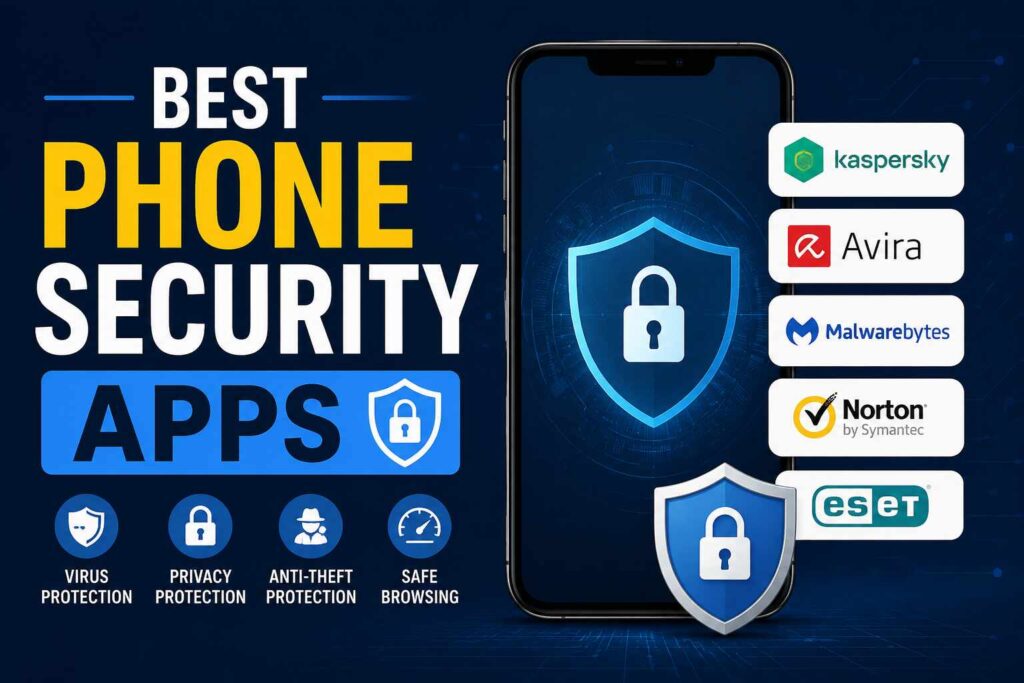
Best Phone Security Apps
Safe internet usage is a primary step, but trusted security applications can offer additional security against malware, phishing and device theft. It’s best to stick to trusted apps by trusted developers to ensure good mobile security.
If you’re truly interested in How to Protect Your Phone from Hackers, then you might want to make use of one or more of these trusted security applications.
1. Bitdefender Mobile Security
Bitdefender is one of the most popular mobile security solutions.
Key features include:
- Malware protection
- Scam detection
- Web security
- App scanning
- VPN support
It is lightweight, which prevents the phone from becoming any heavier while preserving its performance.
2. Norton Mobile Security
Norton offers full protection from all types of today’s cyber threats.
It offers:
- Wi-Fi security scanning
- Device security monitoring
- Safe browsing protection
- Phishing detection
- Privacy reports
If you are someone who often shops or banks online, this app is for you.
3. Avast Mobile Security
Avast’s free and paid versions come with a number of handy security features.
Popular features include:
- Virus scanning
- App locking
- Photo vault
- Web protection
- Hack alerts
Easy to use and work with for the common smartphone user.
4. McAfee Mobile Security
Your personal information is safeguarded with several security features provided by McAfee.
It includes:
- Identity monitoring
- Secure VPN
- Anti-theft tools
- Wi-Fi security
- Privacy protection
It’s a good choice for those who prefer a complete mobile security solution.
5. Malwarebytes Mobile Security
Malwarebytes is well known for its ability to detect and delete malware in a timely fashion, along with its ability to detect and remove harmful applications.
Its features include:
- Malware detection
- Privacy audits
- Safe browsing
- Ransomware protection
It can be particularly helpful if you install new applications regularly.
Here are some of the best phone security apps to help you level up your security, but keep in mind that no app is a substitute for safe online practices. Trusted Security Software and smart browsing is the best way to follow How to Protect Your Phone from Hackers.
How to Remove Hackers from Your Phone
If you think that your Smartphone has already been compromised, don’t worry. Prompt action can lessen the impact as well as limit the hacker’s access to your personal information.
Here is the information on How to remove hackers from your phone safely and effectively.
Disconnect from the Internet
Turn off:
- Mobile data
- Wi-Fi
- Bluetooth
When your phone is disconnected, it halts any communication between your phone and other servers, which blocks hackers and malicious apps from being able to communicate to other servers.
Delete Suspicious Applications
Be sure to check all placed apps in detail.
If any application does the following, uninstall it:
- You don’t recognize.
- Was downloaded from unofficial sources.
- Requests unnecessary permissions.
- Behaves unusually.
Uninstall suspicious apps and then reboot the phone.
Run a Security Scan
Run a trusted mobile security application to check for malware, spyware or dangerous files.
Remove threats if they are identified by following the recommendation of the app.
Change Important Passwords
Once you have secured your device, change the passwords for:
- Email accounts
- Banking apps
- Social media
- Google account
- Apple ID
Make sure to create strong passwords for each account and use Two-Factor Authentication if possible.
Update Your Device
Make sure you update the operating system and app to ensure that you have the latest fixes for any security flaws that hackers could have used to defeat your system.
A Factory Reset is a Last Resort option
If malware is still an issue, a factory reset might be required.
Before resetting:
- Data Backup is essential.
- Save contact and pictures.
- Keep your account information handy.
A factory reset will delete most of the malware and reset your phone to factory settings.
With the steps outlined below, you will be better equipped to know how to get rid of hackers and minimize the chances of future attacks. These are also crucial methods that you can use in order to recover from it and protect your personal information in the long run as well: How to Protect Your Phone from Hackers.
Conclusion
Important personal data is stored on your mobile phone, which is a tempting target for hackers. Fortunately, security on your device is not something that you must be an expert in to help keep it secure. You can greatly minimize the risk of online attacks by keeping your operating system up to date, downloading only apps from trusted sources, using strong passwords, enabling two-factor authentication and practicing smart privacy habits.
How to protect your phone from hackers is one of the most vital digital skills of this time. There are a number of basic security practices you should follow to keep your personal information, finances and online accounts safe from hackers. Be vigilant, regularly check security settings, and integrate mobile security into your daily routine.
Frequently Asked Questions (FAQs)
How to keep hackers at bay on your phone?
Keep software updated, use strong passwords, enable two factor authentication, avoid suspicious links and download apps from official app stores to protect the phone.
What are the signs that my phone has been hacked?
Common symptoms are draining battery life, overheating, slow performance, popping unnecessary ads, excessive data usage and unusual account activity.
Can hackers access my phone through public Wi-Fi?
Yes. WIFI network that is not secured could compromise your personal data. Do not use a public network to log into any accounts where you have access to sensitive information unless you’re connected to a trusted VPN.
Is it easier to hack an Android phone than it is to hack an iPhone?
No matter whether you have an Android or an iPhone, there is a way of hacking them if you do not apply security measures. With up-to-date software and safe browsing practices, the risk is very low on both platforms.
If I believe my phone has been hacked, what should I do?
Turn off Wi-Fi, delete unknown apps, run a security scan, alter passwords, update the device, and/or do a factory reset if the issue persists.
Who wants to pay for a phone security app?
A trusted security app can provide additional protection against malware and phishing attacks. But, it’s not just about using security software; it’s also about practicing good security habits.

A Senior SEO manager and content writer. I create content on technology, business, AI, and cryptocurrency, helping readers stay updated with the latest digital trends and strategies.